Using next generation scan engine technology, Stinger is a stand-alone utility used to detect and remove specific viruses and worms, including Lovsan. Note: It is not a substitute for full anti-virus protection, but rather a tool to assist administrators and users when dealing with an infected system.
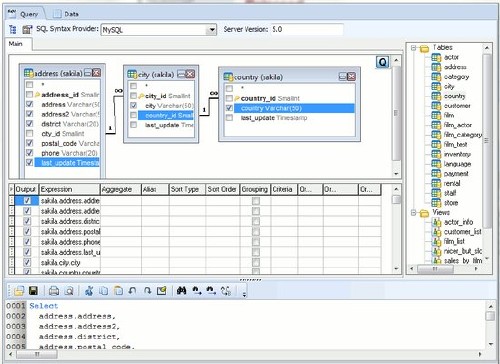
Database Browser is an universal table editor. This easy to use tool allows user to connect to any database and browse or modify data,run sql scripts, export, import and print data. Works directly with Oracle, MS Sql Server, ODBC, MySql, OleDB, BDE, PostgreSQL, SQLite, MS Sql Server Compact, Interbase and Firebird. Unlimited number of connections. One click table browsing. Data browsing, filtering and grouping. Data exports into CSV, TAB, Excel, RTF and Html files. Import data from Excel. Execution history. SQL Builder with wide range of supported databases. Incremental Table Search.
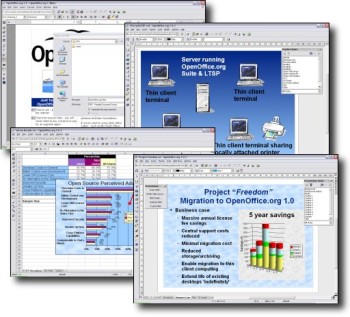
OpenOffice.org is a free alternative to MS Office with a Word compatible word processor, a complete Excel compatible spread sheet program and a Power Point like presentation software and drawing program and also allows to save to PDF file. In addition, OpenOffice.org offers enhanced printing capabilities and options for direct connection with external email programs as well as form-letter management to send letters to addresses from a database. WRITER is OpenOffice.org's word processor: use it for anything from writing a quick letter to producing an entire book with embedded illustrations, cross-references, tables of contents, indexes, bibliographies... Auto-complete, auto-format, and real-time spelling check make light work of the hardest task. Writer is powerful enough to tackle desktop publishing tasks such as creating multi-column newsletters, brochures. The only limit is your imagination.
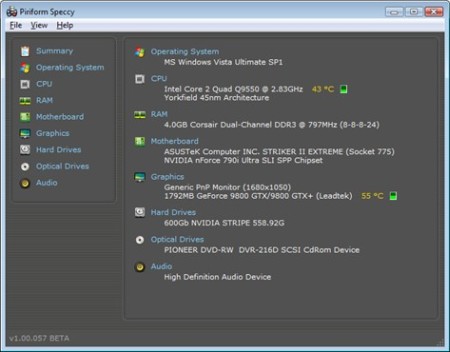
Speccy will give you detailed statistics on every piece of hardware in your computer. Including CPU, Motherboard, RAM, Graphics Cards, Hard Disks, Optical Drives, Audio support. Additionally Speccy adds the temperatures of your different components, so you can easily see if there's a problem! At first glance, Speccy may seem like an application for system administrators and power users. It certainly is, but Speccy can also help normal users, in everyday computing life.
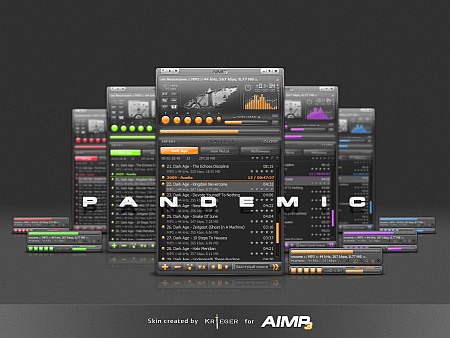
Mediaplayer - qualitative and pure playing multimedia of files, including mp3; good facilitys, the small size and minimal use of system resources. Crystal-clear sound, technology of reproduction essentially differs from Winamp and WMP. Sensitive equalizer. A maximum of functionality from a minimum of resources. The minimal consumption of system resources. Multilingual support. Support of set of formats of audio. Adjustment of global and local hot keys (patterns from WinAmp and WMP).
Recuva - File Recovery! Recuva (pronounced "recover") is a Windows utility to restore files that have been accidentally deleted from your computer. This includes files emptied from the Recycle bin as well as images and other files that have been deleted by user error from digital camera memory cards or MP3 players. It will even bring back files that have been deleted by bugs, crashes and viruses!
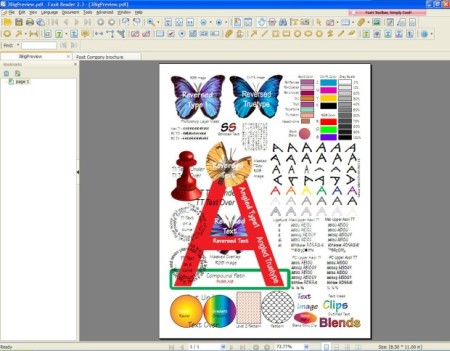
Foxit Reader is a PDF document viewer and printer, with incredible small size, breezing-fast launch speed and rich feature set. Its core function is compatible with PDF Standard 1.7. In the past, you've had to download a huge PDF reader from another software company, go through a lengthy installation process and wait for an annoying splash window to disappear just to open a PDF document. Fill Forms. Allows users to leverage exiting forms and workflow with standard PDF (Acroforms) and XFA (XML Form Architecture) form filling. Create Industry-standard PDFs. Provide feedback to documents through annotation and text markup tools. Make feedback more effective with boxes, circles, arrows, and more drawing tools.
Program which can help you convert your digital photos into art, automatically. If you want to turn a portrait, the photograph of your house or a beautiful landscape into a painting, a sketch or a drawing then look no further, FotoSketcher will do the job in just a few seconds. Thanks to FotoSketcher you can create stunning images to make original gifts for your friends or relatives. Create birthday cards, season's greetings stationery or simply print your work of art and hang it on the wall. Different styles are available: pencil sketch, pen and ink drawing, various painting renderings. You can also improve your original photo with simple tools (enhance contrast, sharpen, simplify image, increase luminosity, color saturation etc...).
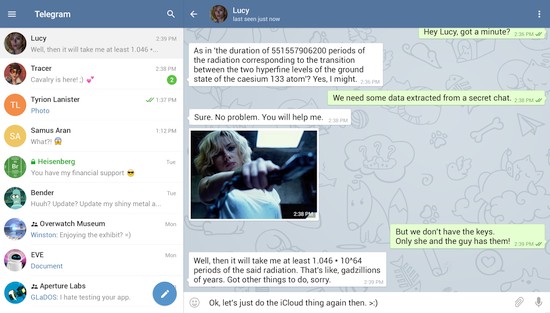
Telegram is a messaging app with a focus on speed and security, it??™s super fast, simple and free. You can use Telegram on all your devices at the same time ??” your messages sync seamlessly across any number of your phones, tablets or computers. With Telegram, you can send messages, photos, videos and files of any type (doc, zip, mp3, etc), as well as create groups for up to 200 people or channels for broadcasting to unlimited audiences. You can write to your phone contacts and find people by their usernames. As a result, Telegram is like SMS and email combined ??” and can take care of all your personal or business messaging needs.
Glary Utilities is a powerful and top all-in-one utility to fix, speed up, maintain and protect your PC. It optimizes the performance of your computer, solves problems, protect your privacy and helps you to customize your system to suit your needs. Glary Utilities Pro offers numerous powerful and easy-to-use system tools and utilities to fix, speed up, maintain and protect your PC. It allows you to clean common system junk files, as well as invalid registry entries and Internet traces. You can manage and delete browser add-ons, analyze disk space usage and find duplicate files. You can also view and manage installed shell extensions, encrypt your files from unauthorized access and use, split large files into smaller manageable files and then rejoin them.
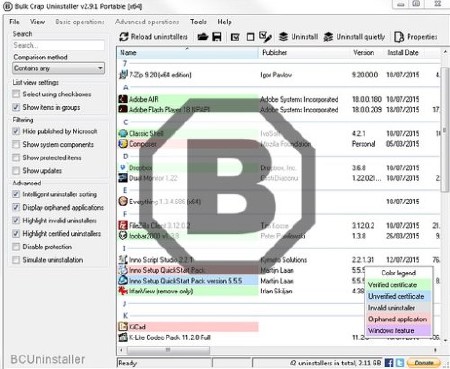
Bulk Crap Uninstaller is a free (as in speech) program uninstaller. It excels at removing large amounts of applications with minimal user input. It can clean up leftovers, detect orphaned applications, run uninstallers according to premade lists, and much more! Even though BCU was made with IT pros in mind, by default it is so straight-forward that anyone can use it effortlessly!
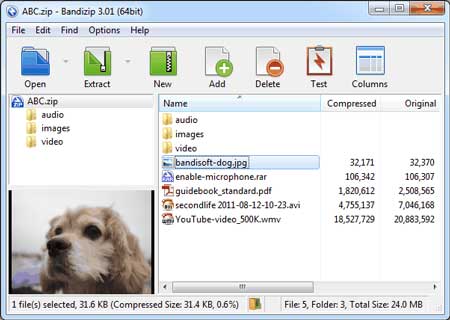
Bandizip is a lightweight, fast and free All-In-One Zip Archiver. Bandizip has a very fast Zip algorithm for compression & extraction with Fast Drag and Drop, High Speed Archiving, and Multi-core compression. It handles the most popular compression formats, including Zip, 7z, Rar, and so on. Extract files to the destination folder directly using the "Fast Drag & Drop" function. An image viewer is embedded so that users can view images included in archives.
Sweet Home 3D is a interior design application that helps you place your furniture on a house 2D plan, with a 3D preview. There are many interior design software applications available on the market. I'll present one of them to you now. Sweet Home 3D is the perfect tool to help you place furniture in your house. If you want to redecorate an apartment or rearrange the existing furniture in a room, Sweet Home 3D might prove to be the easiest way.
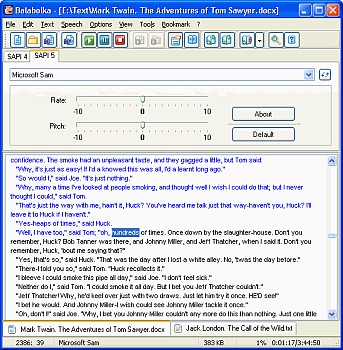
Balabolka is a Text-To-Speech (TTS) program. All computer voices installed on your system are available to Balabolka. The on-screen text can be saved as a WAV, MP3, OGG or WMA file. The program can read the clipboard content, view the text from DOC, RTF, PDF, ODT, FB2 and HTML files, customize font and background colour, control reading from the system tray or by the global hotkeys. Balabolka uses various versions of Microsoft Speech API (SAPI); it allows to alter a voice's parameters, including rate and pitch. The user can apply a special substitution list to improve the quality of the voice's articulation. This feature is useful when you want to change the spelling of words. The rules for the pronunciation correction use the syntax of VBScript.
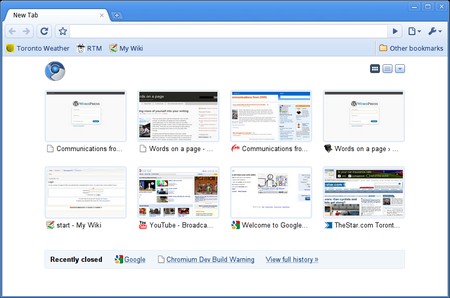
Chromium is an open-source browser project that aims to build a safer, faster, and more stable way for all Internet users to experience the web. This site contains design documents, architecture overviews, testing information, and more to help you learn to build and work with the Chromium source code.